Hello,
Today we ill be creating a red glowing heart.
1. Create a box in a Top View.
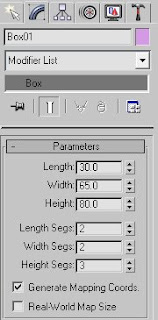
2. Go to Modify panel and change its parameters to:
L 30; W 65; H 80;
L Seg. 2, W Seg.2, H Seg 3.
3. Convert (right click) to Editable Poly.
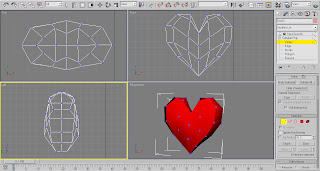
4. Start moving the Vertexes until you create a Heart-like shape that would look something like this.
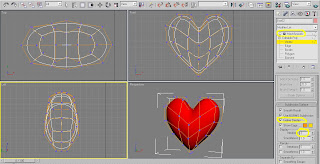
5. While the Vertexes are still chosen, go to Subdv. Surface list and check Use NURMS Sbdv: Display - Iterations : 2.
The Heart model will immediately become much smoother than before.
6. For Extra smoothness you can choose a MeshSmooth Modifier and set it to - Iterations : 2.
And now for the Material part.
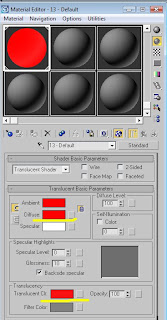
7. Press M on your keyboard and choose an empty slot.
8. Choose a Translucent Shader. Choose Red (255, 0, 0) for Diffuse and another Red (248, 18, 18) in Translucent clr.
Leave the other parameters as they are.
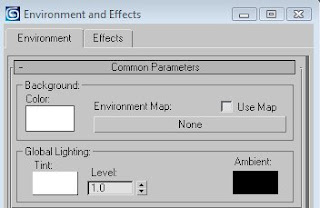
9. Press 8 to change the Environment background for White.
10. Press F9 to render.

That’s it. Hope you enjoyed it.


